


🛠️ Do you have any trouble?
Don’t worry, we’re here to help! Below are solutions to some common issues you might encounter when using Webots.
⚠️ Problem: "python.exe" was not found.
When running your controller, you might encounter the following error:
WARNING: "python.exe" was not found.
Webots requires Python version 3.9, 3.8, or 3.7 from python.org in your current PATH.
To fix the problem, you should:
1. Check the Python command set in the Webots preferences.
2. Check the COMMAND set in the [python] section of the runtime.ini file of your controller program, if any.
3. Fix your PATH environment variable to use the required Python 64-bit version (if available).
4. Install the required Python 64-bit version and ensure your PATH environment variable points to it.
✅ Solution: Step 1: Check if Python is Installed
Run the following command in your terminal to check the Python version:
python3 --version
or
python --version
If Python is not installed or if you need a specific supported version (3.7, 3.8, or 3.9), download and install it from the official Python website.
Step 2: Set Python Path in Webots Preferences
- Open Webots.
- Go to Tools → Preferences.
- Under the General tab, locate the Python command field.
- Set this field to the correct Python path.
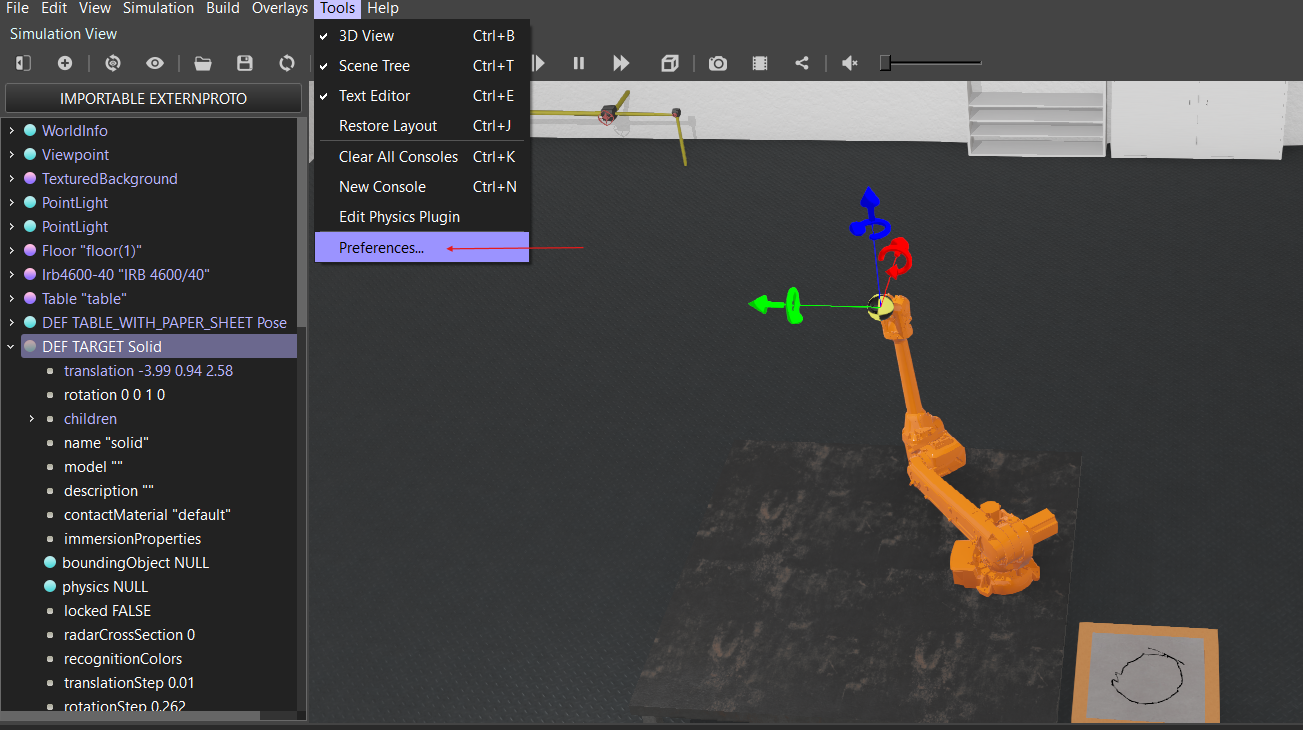
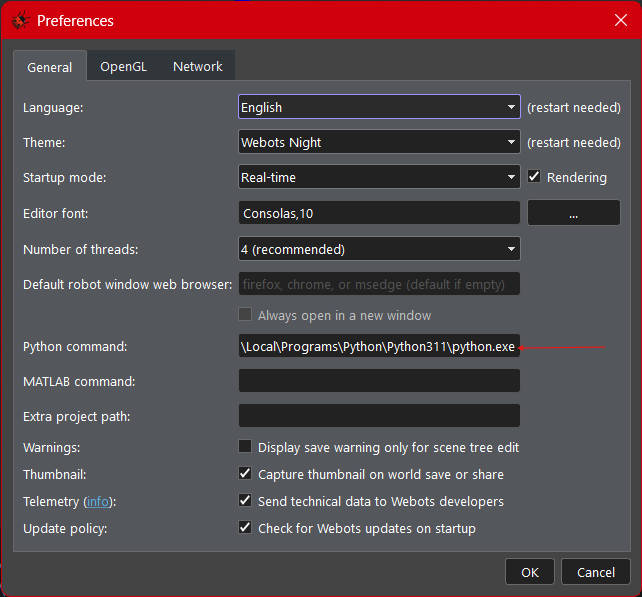
You can find your Python installation path using these commands:
For Linux/macOS:
To locate your Python executable, run:
which python3
or for a specific version:
which python3
Typical paths might be:
/usr/bin/python3/opt/homebrew/bin/python3
For Windows: Use:
where python
This typically returns paths like:
C:\Python39\python.exe
Ensure this path is correctly set in Webots Preferences.
⚠️ Problem: "ikpy" module is not installed.
When running your controller, you may encounter this error:
The "ikpy" Python module is not installed. To run this sample, please upgrade "pip" and install ikpy with this command: "pip install ikpy"
✅ Solution: Install the required module in the correct Python environment by executing these commands in your terminal:
pip install --upgrade pip
pip install ikpy
Same procedure to do for any other libraries, modules that needs to be installed such as matplotlib, numpy,…